
Oakland County Court Calendars Explained
Oakland County runs no single master calendar. Each court keeps its own. Judicial Schedule Online is the county's schedule tool. It is built around searches by judge, attorney P-number, or date. MiCOURT and Court Explorer can show case events. They may hint at a next setting, but a case-search result is not a complete hearing calendar. The notice of hearing from the local court still controls how and where you appear. A schedule may be organized by judge, by date, or by an attorney P-number. District Court calendars tend to be more local. They carry their own arraignment windows, remote instructions, and clerk check-in rules. The right source depends on the case. It may sit in the Sixth Circuit Court, a District Court division, or Probate Court.
Oakland County Court Date Search Fields
Oakland County keeps its court date search lean. Judicial Schedule Online provides a Judge dropdown, an Attorney P-number field with a five-digit format example, a Select Date control, and Search and Reset buttons. A holiday-schedule notice appears on the service too. The tool publishes schedules, not case files. When attendance matters, pair its result with the case number and confirmation from the assigned court.
The official Judicial Schedule Online form lays out the Oakland County court date search controls used for judge, attorney, and date scheduling.
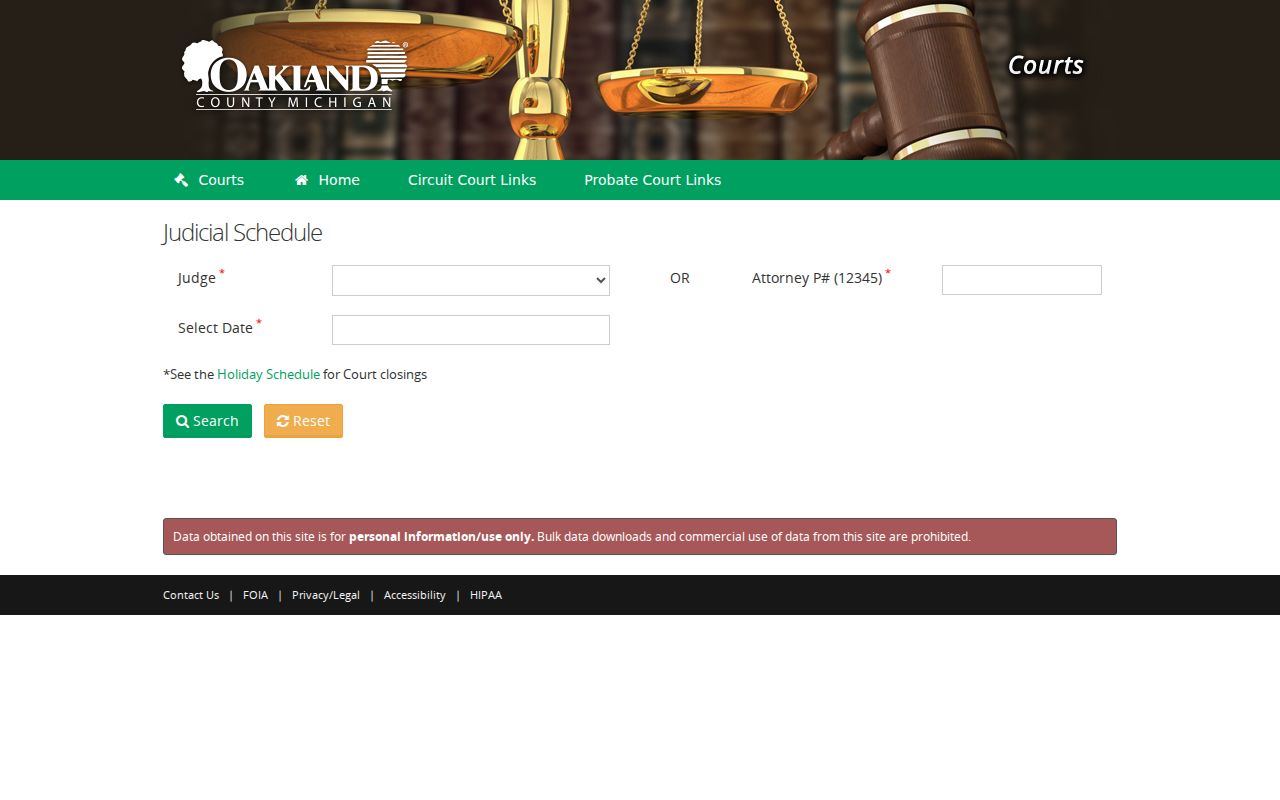
These fields point to a published schedule and nothing more. Whether a setting runs in person, remote, or hybrid is set by the latest court notice, so confirm before you rely on the entry.
Finding Your Court Date
Begin with the full case number. Pin down which court holds the file. Then search the case in MiCOURT or Court Explorer for a listed next event, and turn to Judicial Schedule Online when you need a judge, attorney, or date schedule search. Traffic works differently. The citation's appearance or due date controls, even if a payment display lags behind it. When the portal, the calendar, and the paper notice disagree, the clerk is the direct confirmation route.
- Check MiCOURT or Court Explorer by case number for the court, status, and apparent next event.
- Search Judicial Schedule Online by judge, attorney P-number, or date when a court schedule is needed.
- Read the case's newest notice and compare the event label, date, time, judge, and attendance instructions.
- Call the assigned court clerk or use the court counter when the online entry is absent, unclear, or different from the notice.
- For a local District Court matter, consult that court's own access page because its arraignment and warrant windows can differ.
Oakland County Court Date Motion Deadlines
The Sixth Circuit Court handles motion-day settings through ePraecipe. The filing cutoff is firm. The praecipe must be filed by 4:30 p.m. on the Wednesday preceding motion day. It asks for the case number, parties, judge, summary-disposition choice, Wednesday motion date, motion title, re-praecipe status, concurrence information, attorney, phone, and moving party. The form is a scheduling route. It is not a general calendar search.
A re-praecipe is a local term. It can signal that a setting is being changed or renewed. Motion briefs go to chambers or through the e-filing route as the court directs. That is why an ePraecipe result and a generic case event should both be checked against the current hearing notice.
Oakland's ePraecipe form shows the Circuit motion-setting fields and the local re-praecipe option.
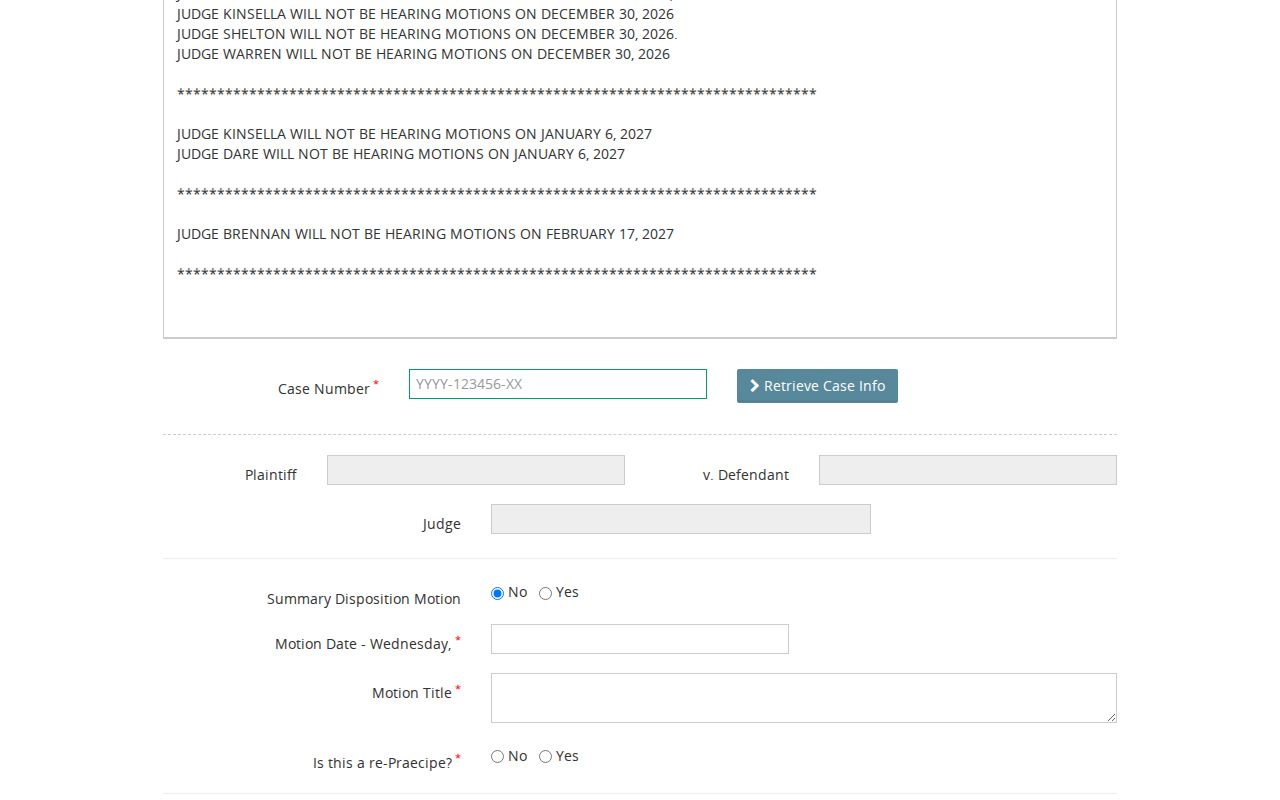
A motion date is tied to a specific court process. Read it that way, not as a general courtroom schedule.
How to Read a Court Setting
Read a setting line as several fields working together. Date, time, court or judge, and setting type each tell part of the story. The labels are not interchangeable. "Hearing," "motion," "arraignment," "preliminary examination," "motion call," and "trial" all mean different things, and a dated entry can record an event in the register without any public courtroom session.
| Date | The listed calendar date; compare it with the most recent notice after any change. |
|---|---|
| Time | The specific setting time or a docket-call time, which may be different from an individual hearing time. |
| Court or judge | The assigned court, courtroom, or judge used to verify the schedule and attendance instructions. |
| Setting type | Arraignment, motion, hearing, preliminary examination, trial, or another listed event. |
| Format | The current notice states whether the proceeding is in person, remote, or hybrid. |
Oakland County Court Date Local Windows
District Court access windows prove why event type matters. District 48 publishes weekday-specific arraignment windows. Each lists in-person or Zoom instructions. District 52-3 lists walk-in arraignment periods from 9:00 to 10:30 a.m. and from 1:00 to 3:00 p.m. on weekdays, with check-in at the Clerk's Office. District 52-4 posts separate walk-in bench-warrant hours. None of these windows replaces a personal hearing notice.
District 48's windows run Monday from 12:30 to 3:00 p.m., Wednesday from 8:30 to 11:00 a.m. and 12:30 to 3:00 p.m., Thursday from 12:30 to 3:00 p.m., and Friday from 8:30 to 11:00 a.m. District 52-4 lists bench-warrant windows from 8:30 to 11:30 a.m. and 1:30 to 3:00 p.m. Hours can change. Check the current court page before relying on any window.
The notice to appear controls attendance format. So does the assigned judge or court. A remote magistrate route, a Zoom instruction, or a walk-in window cannot change an ordered setting without confirmation from the court. Court pages update often. An update on a page does not always mean the setting itself moved.
Continuances, Resets, and Cancellations
Court dates move, and the calendar does not always catch up right away. In an Oakland County register, ADJ marks an adjournment. That entry records what already happened, not where the case lands next. NOH stands for notice of hearing. It tells you a notice was filed. Still, only the most recent notice carries the date that counts. A case can also vanish from a daily view. That can happen because it was reset, moved, or never published there.
When the online calendar and your paper notice disagree, call the assigned court and confirm. Holidays and maintenance windows can knock web services offline for a while. Your obligation to appear does not pause with them.
Oakland County Court Date Event Codes
Codes give an Oakland County court docket result its meaning. NOH means Notice of Hearing, ADJ means Adjournment, and SDO means Scheduling Order. A scheduling order fixes dates and deadlines. A notice of hearing is usually the more direct source for when to show up. No code waives attendance. None of them fully describes the court's current plan. Read them as clues and verify with the court.
- NOH
- Notice of hearing, which should be compared with the newest notice on the case.
- ADJ
- Adjournment, a past action that may require a clerk check for the replacement date.
- SDO
- Scheduling order, a court order governing dates and steps in a case.
If You Miss a Court Setting
Missed a setting in Oakland County? Call the assigned court right away. The right fix depends on the case. So have the case number, the missed date, and your most recent notice in hand before you dial. A clerk can pull the current docket status. The clerk can also explain how to get a new setting or handle whatever else the court requires. If a lawyer represents you, tell that attorney immediately too.
Act on the current court information: A public calendar is not an attendance waiver, and a missed criminal or traffic setting can have court consequences. Obtain confirmation from the assigned court rather than relying on an old web entry.
Oakland County Court Date Reset Check
Something look off on a court date? Start with the case number in MiCOURT or Court Explorer. Compare the newest case entry against Judicial Schedule Online and your notice to appear. Then give the clerk the case number. Ask three things: is the listed event current, is it in person or remote, and has a later notice taken over. That order keeps you from treating an old register line as a live court date.
Circuit motion matters need one more step. Confirm the ePraecipe was accepted and that the local Wednesday filing deadline was met. On a traffic ticket, go by the appearance date printed on the citation. Never assume a payment portal moved it.
Oakland County's structure adds its own wrinkles. A District Court event may sit with that court's local clerk. A Sixth Circuit setting shows up in the Circuit register or the judge's schedule. Probate keeps a separate clerk and its own online-service notices. If you cannot tell which court filed a case, find it in MiCOURT first. Once MiCOURT names the court, ask that court directly. Ask whether a reset, adjournment, or new notice has replaced the date on screen.
Oakland County Court Date Closure Notices
Holidays, inventory work, and system maintenance can all limit calendar access. Oakland County court pages warn that online services and access windows shift without much notice. A closure notice may explain a dark counter or records route that day. It never substitutes for the court's own instructions on your case. Before you drive to the courthouse, check with the assigned court. Do not rely on a stale schedule result. A 47th District Court inventory-closure notice shows the kind of operational update that can affect access to court date and records services.
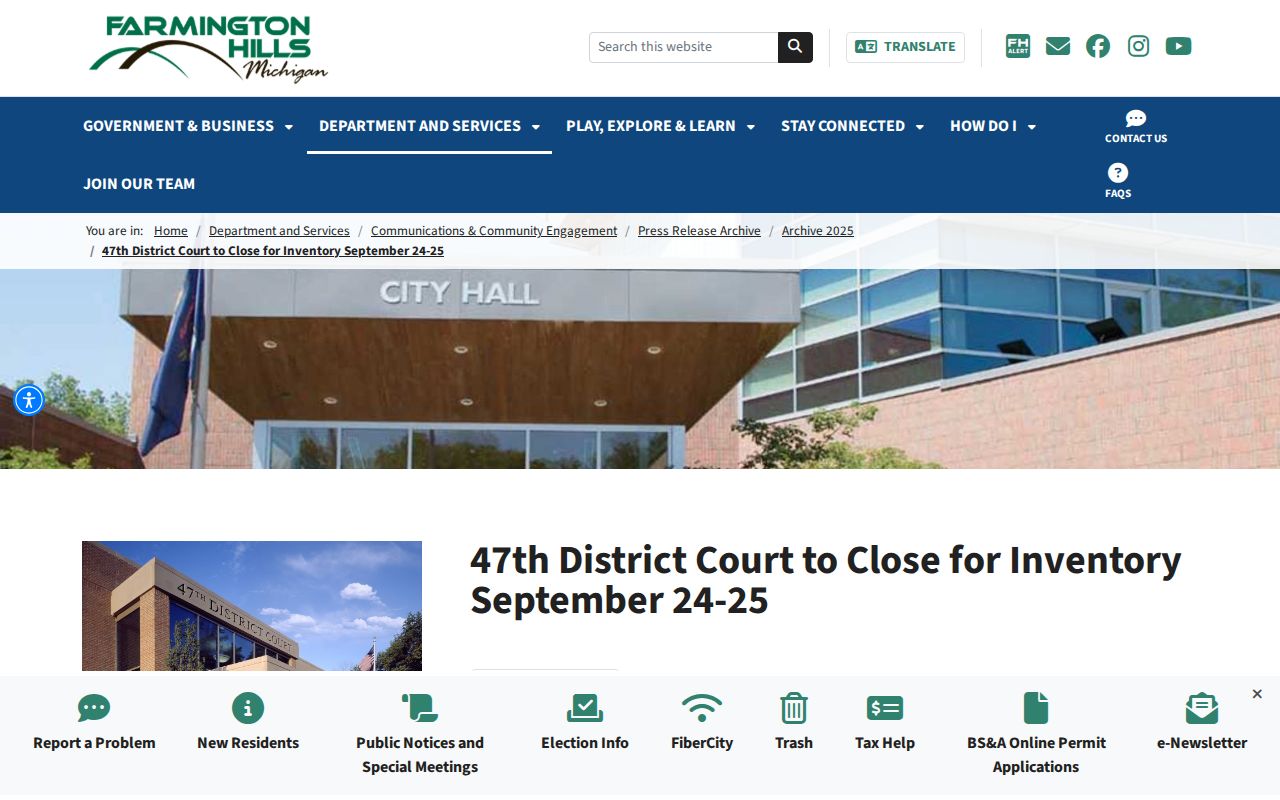
Read current court notices next to the case record itself. That habit separates a service interruption from a real change to your court date.